
This article provides a comprehensive introduction to Sudoku EN (Gemini Skills) v01.49, a system that operates via real Python execution to define and store every generated Sudoku puzzle in Python memory as both a fully populated Solution Matrix (solution_matrix) and a carved Puzzle Matrix (puzzle_matrix), transferring them with zero error to both text (ASCII) and visual (.jpg / .png) outputs, while presenting the official Skills Documentation Page link and the Google Drive folder information containing the “SKILL.md” file that anyone can directly download and use on their own system at the end of the text.
Author: Aydın Tiryaki
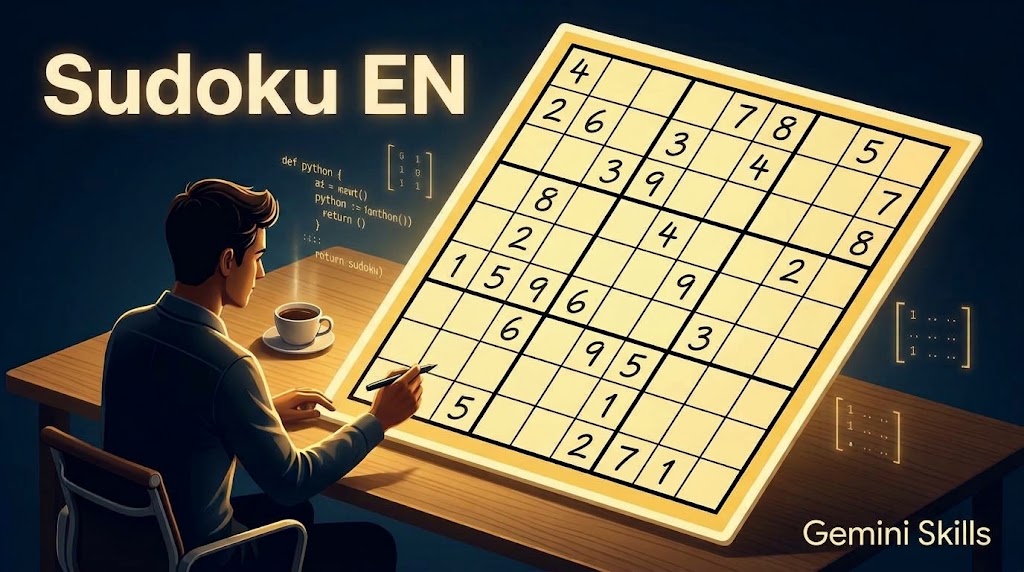
The most critical engineering challenge encountered in AI-based puzzle generators is cell shifting, digit mutation, or hallucination when the generated numerical setup is printed to a text-based screen or converted into a visual output. When language models interpret a Sudoku grid as a loose text string rather than holding it in memory as a true mathematical data matrix, the structural link between the initial puzzle and the displayed table or image breaks down. Designed and developed by Aydın Tiryaki in Türkiye using the ATG Gem Factory (Skills Edition) v14.14 standards, Sudoku EN (Skills Edition) v01.49 resolves this problem fundamentally through its Dual-Matrix Single Source of Truth (SSOT) architecture.
📄Skills Documentation Page: https://aydintiryaki.org/2026/06/19/gdn071/
Technical Identity and Character Architecture Bearing the Gem Repository Number gdn071 and operating at the lifecycle status GemStat:2 (Completed), Sudoku EN v01.49 features an in-depth instruction architecture totaling 29,665 characters—comprising 9 characters in the Title section, 987 characters in the Description section, and 28,669 characters in the Instructions section. The system operates with a dynamic latest version triggering protocol and a universal direct open URL lock that never redirects any link to a search engine query.
1. Dual-Matrix Single Source of Truth (solution_matrix and puzzle_matrix) At the core of Sudoku EN v01.49 lies a matrix architecture that defines and stores every generated or solved Sudoku (4×4 for 2×2, 9×9 for 3×3, or 16×16 grid for hidden 4×4; the default and standard reference is the 9×9 matrix) as a two-dimensional numerical data array (2D list/matrix) directly processed by Python:
- Solution Matrix (
solution_matrix/ Full Matrix): Obtained from the Fixed Master Template (Safe Harbor) via 3 to 5 cycles of 4-stage braided permutations (vertical/horizontal intra-band and inter-band block shuffling), this is the fully populated matrix containing digits from 1 to 9 completely and without repetition across all cells (solution_matrix = [[5,3,4,6,7,8,9,1,2], ...]). - Puzzle Matrix (
puzzle_matrix/ Carved Matrix): Created by taking a deep copy (copy.deepcopy(solution_matrix)) of the solution matrix and carving out specific cells according to the selected difficulty level, representing blank cells as0inside Python (puzzle_matrix = [[5,0,4,0,7,8,0,1,2], ...]). - Absolute Primary Value Lock: The system permanently stores both matrices in memory. Both during text-based (ASCII) screen output and during visual-based (
.jpgor.png) screen output, these two matrices are exclusively taken as the base, feeding all outputs with zero error directly frommatrix[row][col]indices.
2. Strict Blank Rule, $\pm 2$ Balanced Carving, and Quadruple assert Seal Generating a 3×3 size (9×9 grid) puzzle at 🟠 Medium difficulty by default when no selection is made, the system offers 6 difficulty tiers: 🟢 Very Easy, 🟡 Easy, 🟠 Medium, 🔴 Hard, 🟣 Very Hard, and ⚫ Impossible. Within the strict blank ranges defined for each tier, random.randint selects a varying blank count. While constructing puzzle_matrix, at least 1 instance of each digit must remain, and the count difference between the most carved and least carved digit is restricted to at most $\pm 2$. A background Python solver verifies unique solvability after every carved cell, triggering up to 50 automatic retries if the loop stalls. Before output, Python assert statements mandatorily verify the rule integrity of solution_matrix, the exact blank count of puzzle_matrix, the one-to-one match of populated cells with solution_matrix[r][c], and the 100% match between the unique solver result and solution_matrix.
3. Zero Deviation Dictate in Text (ASCII) and Visual (.jpg / .png) Matrix Transfers For text output, the Python script directly loops through puzzle_matrix[r][c] (or solution_matrix[r][c] for solutions), formatting 0 cells as 3 spaces (" ") and populated cells with single padding spaces (f" {matrix[r][c]} ") inside a double- and single-lined monospace ASCII table.
Upon visual approval, the Dual-Layer Visual Generation Architecture binds directly to the primary matrix in memory:
- Primary Layer (Python Matplotlib/Pillow): Directly reads the
puzzle_matrix/solution_matrixarray in Python memory to draw every(r, c)coordinate mathematically—producing a zero-error 9:16 vertical or 16:9 horizontal (titled “SUDOKU”) image with light yellow inner cells, a slightly darker yellow outer frame, thick/thin black lines, and navy blue metadata below the grid, verified via in-codeassertchecks. - Secondary Layer (Lossless Matrix Dictation and Autonomous Regeneration): When calling the built-in image engine, all 81 cells of the primary matrix are generated via a Python loop and dictated both as explicit row descriptions and as a compact grid layout (
[Row 1: 5 | empty | 4 | ...]). The resulting image is optically compared cell-by-cell against the primary matrix, triggering automatic regeneration without asking the user if any discrepancy is detected.
4. Optical Solving Mode, Verification, and Living Assistant Automatically detecting uploaded Sudoku images, the system reads the grid and immediately defines it in Python as puzzle_matrix, printing its ASCII table for user confirmation. Once confirmed, the Python solver generates and stores the complete solution_matrix—or reports exact row and column coordinates on puzzle_matrix if the uploaded puzzle is flawed or unsolvable. Multi-perspective Data Verification and the Living Assistant protocol (“Guide”, “Manual”, “Handbook”, “Help”) complete the architecture.
Google Drive Folder Link and SKILL.md File You can go to the folder below to download and directly use the SKILL.md file from this folder. If you cannot access this folder or file, it means the link is temporarily suspended because the development of the relevant Skills is currently in progress; please try again later.
📁 Google Drive Folder Path (EN): https://drive.google.com/drive/folders/1sgD9Ff17sSANAKil-ENK7wLNy54P7H62
Note: You can make your own developments and edits on the SKILL.md file you obtain from here. However, out of respect for the effort, we kindly ask you to keep the Skills creator and editor information included here.
All architectural design and dual-matrix algorithmic structure of the Sudoku EN (Skills Edition) v01.49 system introduced in this article, as well as all content, approaches, and views in the article, belong entirely to Aydın Tiryaki; the editorial and writing assistance of the article was carried out by the active artificial intelligence model Gemini Pro (Extended Thinking Level), and the work was completed on 02.11.2026 15:56.
| aydintiryaki.org | YouTube | Aydın Tiryaki’nin Yazıları ve Videoları │Articles and Videos by Aydın Tiryaki | Bilgi Merkezi│Knowledge Hub | ░ Virgülüne Dokunmadan │ Verbatim ░ | ░ Sudoku TR │Sudoku TR (Gemini Skills) ░ 02.11.2026

