
In this article, we explore the capabilities of QR Code Designer, an assistant that generates 100% scannable ISO/IEC 18004 vector (.svg) and sharp raster (.png/.jpg) QR codes for any web address, plain text, or special communication/payment schema, and decodes existing QR code images. The Skill Documentation Page link and the Google Drive Gemini and Claude folder paths hosting the downloadable SKILL.md file are provided at the end of this article.
Aydın Tiryaki
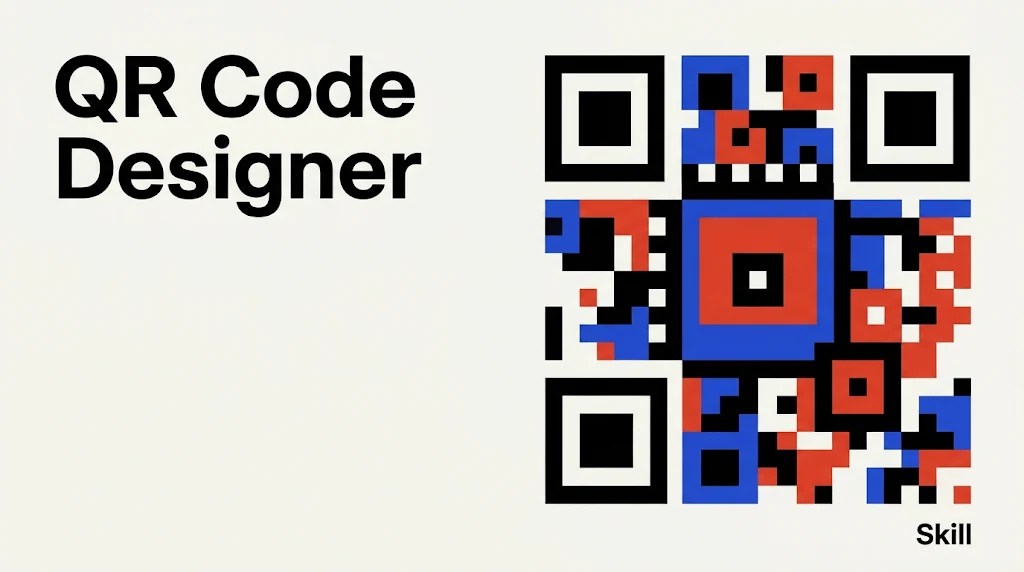
Generating QR Codes with Zero Error and Mathematical Precision
QR codes are the most practical way to share web addresses, Wi-Fi credentials, digital business cards, IBAN payment details, or calendar invitations in everyday life. However, “artistic” QR codes drawn by diffusion-based image generators often fail to scan on phone cameras. QR Code Designer solves this problem at its root by treating every QR code not as an illustration, but as a strict mathematical binary matrix under the ISO/IEC 18004 standard, executed through a deterministic Python engineering pipeline.
Classic QR Code: Minimal Size and Maximum Optical Clarity
When a user provides a direct URL or plain text without extra requests, the assistant runs the Classic QR Code workflow by default. It selects the smallest possible matrix version (starting from Version 1: 21×21 modules) with Level L (7% error correction) and adds the mandatory 4-module pure white Quiet Zone on all four sides. Outputs are delivered in a 1:1 square ratio as both infinitely scalable vector .svg files and crisp .png/.jpg raster images upscaled via nearest-neighbor interpolation with zero anti-aliasing blur.
Custom QR Codes with a Centered Visual or Logo
When a user requests a logo, emblem, letter, or custom graphic in the center, the system automatically locks Reed-Solomon error correction to Level H (30% recovery capacity). The center visual is formatted as a 1:1 square or circular graphic (200×200 to 512×512 pixels for raster sources), constrained to at most 15%-20% of the total matrix area, and backed by a 1-2 module pure white Inner Quiet Pad while strictly protecting the three 7×7 Finder patterns and format strips.
Special-Topic QR Codes Menu and QR Code Decoding
Through its 9-category Special-Topic QR Codes submenu, QR Code Designer builds ready-to-use templates without requiring users to memorize technical syntax: Wi-Fi network connections, vCard 3.0/4.0 and MeCard digital business cards, IBAN and payment codes (including TR Karekod in Türkiye, FAST, SEPA EPC, and crypto), email, phone call and SMS, WhatsApp and Telegram direct chat, geographic location and map coordinates, iCalendar events, and 2FA (TOTP) or industrial GS1 Digital Links. In addition, any uploaded QR code image (.svg, .png, or .jpg) is decoded via Python to present the raw payload, parsed schema fields, and a domain/security check.
Mandatory Camera Read Test and External ATL1 Integration
Before any generated QR code is delivered, it must pass an automated Python round-trip read test (assert decoded == input_data); if the scanned payload does not match 100% identically, the visual is never published and is automatically rescaled until scannable. With version v01.07, QR Code Designer is fully integrated with the external ATL1 Subskill Library (Ⓛ0️⃣3️⃣ Guidance, Ⓛ0️⃣5️⃣ Process Tracking and Info Line, and Ⓛ0️⃣6️⃣ Common Core Rules with clickable Markdown links).
📄Skill Documentation Page: https://aydintiryaki.org/2026/06/19/gdn084/
This Skill was developed with the Gemini 4 Neon artificial intelligence model.
Google Drive Folder Links and SKILL.md File
You can go to the folders below to download and directly use the SKILL.md file from these folders. If you cannot access these folders or file, it means the link is temporarily suspended because the development of the relevant Skills is currently in progress; please try again later.
📁 Google Drive Gemini Folder Path (EN): https://drive.google.com/drive/folders/1JzX2dnP7NyO9EWQ-UCbXA4Wekih6k6bO
📁 Google Drive Claude Folder Path (EN): https://drive.google.com/drive/folders/1K7H_t5QaeIDG8TQDYuf80B1YxzWmFcOM
Note: You can make your own developments and edits on the SKILL.md file you obtain from here. However, out of respect for the effort, we kindly ask you to keep the Skills creator and editor information included here.
This Skill design and all views expressed in this article belong to Aydın Tiryaki; editorial preparation and publishing assistance were carried out by the Gemini 4 Neon artificial intelligence model. (23.11.2026 17:05)
📘 Aydın Tiryaki Skill Archive User Guide: https://aydintiryaki.org/2026/11/20/aydin-tiryaki-skill-archive-user-guide/
| aydintiryaki.org | YouTube | Aydın Tiryaki’nin Yazıları ve Videoları │Articles and Videos by Aydın Tiryaki | Bilgi Merkezi│Knowledge Hub | ░ Virgülüne Dokunmadan │ Verbatim ░ | ░ QR Kod Tasarımcısı │QR Code Designer (Skill) ░ 23.11.2026

