
An Introduction to the Digital Language Assistant Offering Automatic Text Detection in Images and Documents, Context-Aware Multi-Language Translation, and Rich Media/Knowledge Integration (The Skills Documentation Page and the Google Drive Folder Link Containing the Ready-to-Use SKILL.md File Are Located at the End of the Article)
Author: Aydın Tiryaki
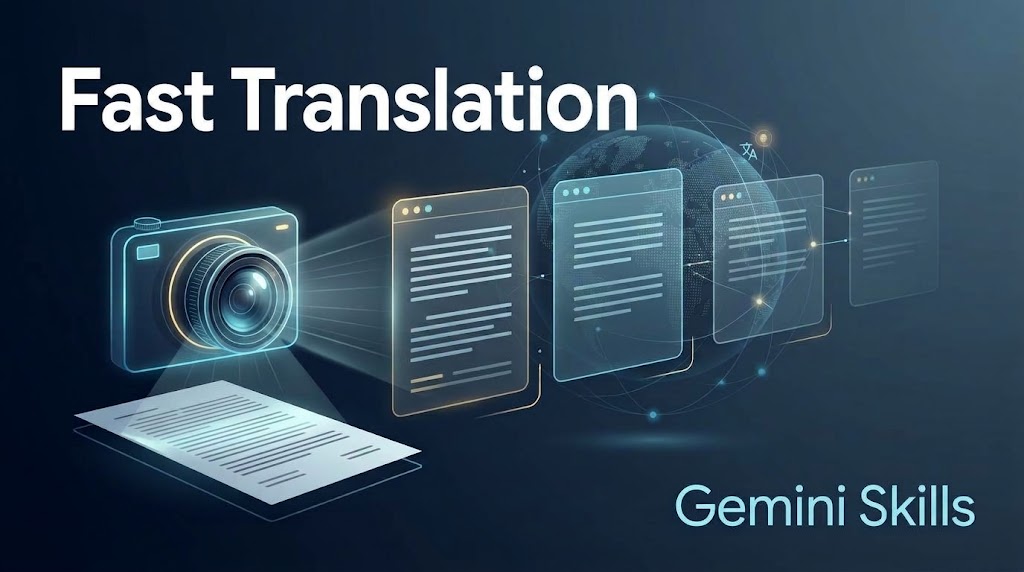
In today’s interconnected information ecosystem, encountering printed documents, screenshots, street signs, academic papers, or technical manuals in a foreign language requires much more than a simple word-for-word dictionary lookup. It requires accurately extracting the text from the visual medium (OCR), identifying its original language automatically, and translating it into the target language while faithfully preserving the author’s tone, terminology, and contextual integrity. Fast Translation (Skills Edition) is a next-generation Gemini Skills assistant designed specifically to meet this need by combining document- and image-based text recognition with a context-driven translation architecture.
With version v01.06, Fast Translation (gdn076) delivers a seamless, step-by-step guided translation experience. Built on an optimized 6989-character architecture—comprising Title (16 characters), Description (994 characters), and Instructions (5979 characters)—the system is currently in active development (GemStat:1) within the Gemini Skills ecosystem in Türkiye and globally.
📄Skills Documentation Page: https://aydintiryaki.org/2026/06/19/gdn076/
How Does Fast Translation Work and What Features Does It Offer?
- Automatic Language Detection and Clean Original Text Transcription: When a user uploads a photograph, scanned page, or document, Fast Translation first analyzes the text layers within the image. It automatically determines the language in which the text is written, transcribes the original text neatly onto the screen in a highly readable layout, and informs the user with the clear statement: “Language of this document: [Detected Language]”. This ensures complete transparency regarding the source text before any translation takes place.
- Dynamic Translation Menu with Flag Icons and Emoji Numbering: Immediately below the original text transcription, the assistant asks: “Which language would you like it translated into?”. Options are presented using sequential emoji numbering and thematic country flags (1️⃣ 🇬🇧 EN (English) | 2️⃣ 🇹🇷 TR (Turkish) | 3️⃣ 🇩🇪 DE (German) | 4️⃣ 🇫🇷 FR (French)), and the menu can be dynamically expanded to include any other world language following the same visual standard.
- Translation Preserving Context, Tone, and Semantic Integrity: Fast Translation strictly avoids mechanical, word-for-word (literal) translation. Instead, it analyzes the full text to preserve its subject context, stylistic tone, idioms, and semantic cohesion. Furthermore, once a translation is completed, the system automatically re-displays the language menu, enabling an uninterrupted multi-language translation loop for users who need the same document translated into multiple languages consecutively.
- Dual-Layer Data Verification and Open Source/Video Links: For key concepts, historical references, technical terms, or proper nouns appearing in the translated text, Fast Translation offers users the opportunity to deepen their knowledge. It shares directly clickable, open URLs (never search engine query pages) to Wikipedia, authoritative reference sources, and related YouTube videos or playlists, always prioritizing sources in the target language of the translation. Prior to output, all data undergoes a second-perspective verification protocol; if a discrepancy arises, a third check is performed, and any remaining uncertainty is transparently reported via a ‘Hesitation Notification’.
- 9-Option Visual/Video Production Menu and Living Assistant: After each translation cycle, users are presented with a 9-option media menu (Vertical, Horizontal, and Square formats across With Text, Without Text, and Video categories). Visuals (.jpg or .png) generated with text organize the translated insights into clean info panels using fonts that fully support target-language diacritics and special characters, while text-free options strictly enforce a zero-letter rule. At any stage, typing ‘Guide’, ‘Manual’, ‘Handbook’, or ‘Help’ suspends the active workflow and launches the Living Assistant, providing Summary, Detailed, or Index-level guidance before seamlessly resuming from the exact step where the user left off.
Google Drive Folder Link and SKILL.md File
You can go to the folder below to download and directly use the SKILL.md file from this folder. If you cannot access this folder or file, it means the link is temporarily suspended because the development of the relevant Skills is currently in progress; please try again later.
📁 Google Drive Folder Path (EN): https://drive.google.com/drive/folders/1AAaAURF1J80vYDWekBz951zpsl2z8lPW?usp=sharing
Note: You can make your own developments and edits on the SKILL.md file you obtain from here. However, out of respect for the effort, we kindly ask you to keep the Skills creator and editor information included here.
The entire architecture and design of Fast Translation (Skills Edition) v01.06 introduced in this article, as well as all content, perspectives, and opinions expressed herein, belong solely to the author Aydın Tiryaki; the editorial review and writing assistance of this article were carried out under the discipline of ATG Article and Document Workshop v01.15 by the active AI model Gemini Pro (Extended thinking level) (30.10.2026 08:55).
| aydintiryaki.org | YouTube | Aydın Tiryaki’nin Yazıları ve Videoları │Articles and Videos by Aydın Tiryaki | Bilgi Merkezi│Knowledge Hub | ░ Virgülüne Dokunmadan │ Verbatim ░ | ░Hızlı Çeviri │Fast Translation (Gemini Skills) ░ 06.11.2026

