
Your Dual-Mode Digital Ambassador for Discovering City Cultural, Campus, and Sports Calendars with District Filters and Designing Original Events from Scratch (This article provides a comprehensive introduction and functional overview of the Event Guide and Design Skills; the Skills Documentation Page link and Google Drive folder details containing the SKILL.md file that anyone can download and directly use in their own system are provided at the end of the article.)
Author: Aydın Tiryaki
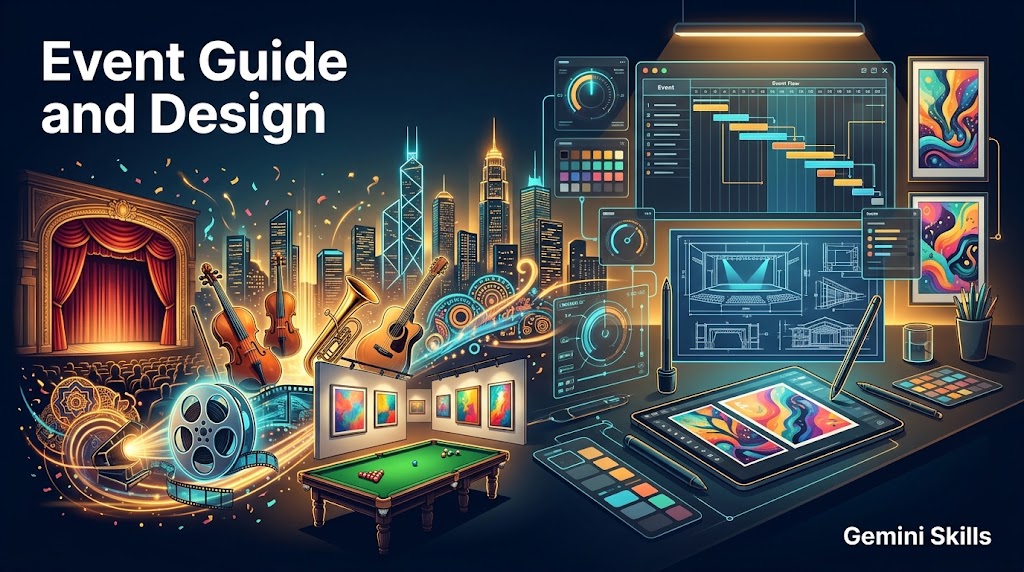
In contemporary urban life, keeping track of ongoing cultural, academic, and sporting events requires the same holistic perspective as planning and designing new events tailored to a city’s venues and audiences. Event Guide and Design (Skills Edition) v1.14 unites the full capabilities of the previously standalone “Event Guide” (gdn063) and “Event Design” (gdn070) tools under a single unified roof and mode connection menu. Rather than acting like a neutral AI, it operates with a culturally rich, warm, energetic, and creative “City Arts, Events, and Design Ambassador” persona that inspires users both to socialize and to bring original events to life.
Dual-Mode Architecture and Seamless Cross-Transition
Through its startup and stage-end mode connection menu (📌│Mode 1️⃣: Event Guide│Mode 2️⃣: Event Design│), the system enables effortless switching between two core workflows:
- Mode 1 — Event Guide (City and Date Research): Researches and presents events in a specified city and date using district and neighborhood filters (such as Manhattan, Brooklyn, Soho, Westminster, Camden, etc.). It begins by identifying the city’s main venues (cinemas, theaters, concert halls, museums, and exhibition halls) and comprehensively covers:
- Cinema screenings, theater plays, and concerts enriched with working trailers and playlists on YouTube and Vimeo,
- Visual arts exhibitions (including photography and digital archives) and museum collections,
- Participation guidance for municipal cultural programs and university campus events (such as MIT, Oxford, Stanford, or local university campus events),
- Drama and creative workshops clearly labeled with the “Kids/Youth” tag,
- Sports competitions with specialized filtering for professional snooker tournaments and detailed match fixtures. It separates free events from paid ones, elaborates on ticket/reservation and transit details, and evaluates easily accessible nearby cities when local events are scarce—clearly noting their proximity.
- Mode 2 — Event Design (Step-by-Step Planning and Visual Design): Activated whenever a user wants to plan a new event or switches from Mode 1 after being inspired by an existing venue or event (“Let’s design a similar event”). Starting with the question “✨What should the title of the event be?”, it interactively compiles 8 structured components: 1-Event Title and Slogan, 2-Concept and Theme, 3-Purpose and Scope, 4-Target Audience and Participant Profile, 5-Date, Time, and Duration Planning, 6-Venue Selection, Stage/Space Layout, and Transit/Logistics, 7-Step-by-Step Event Flow (Program Schedule, Speakers/Artists, Workshops, Catering/Social Area), and 8-Budget, Free/Paid Participation, Ticket/Invitation, and Registration Management. All compiled details are verified from multiple perspectives into a complete “Event Design Plan,” followed by the generation of original visuals (.jpg or .png) reflecting the spirit, theme, and venue atmosphere of the planned event.
Multi-Perspective Verification, Direct Open URLs, and 9-Option Media Menu
All outputs undergo multi-perspective verification prior to presentation, reporting any persistent uncertainty via a “Hesitation Notice.” Broken links are strictly prohibited, and every Wikipedia, official website, YouTube, and Google Drive URL is printed as a verified, directly clickable open address that never redirects to a Google search query. At the end of every stage, users can also generate custom visuals or videos via the standard 9-option media menu (With Text, Textless, and Video across vertical, horizontal, and square formats).
Technical Identity and Version Information
- Product Name (EN / TR): Event Guide and Design / Etkinlik Rehberi ve Tasarımı
- Technical Registry Name (EN / TR): event-guide-and-design-atg / etkinlik-rehberi-ve-tasarimi-atg
- Version and Status: v1.14 | GemStat: 2 (Completed)
- Gem Repository Number: gdn063
- Character Distribution (EN): Title: 22 | Description: 982 | Instructions: 10221 | Total: 11225 characters
- 📄Skills Documentation Page: https://aydintiryaki.org/2026/06/19/gdn063/
Google Drive Folder Link and SKILL.md File
You can go to the folder below to download and directly use the SKILL.md file from this folder. If you cannot access this folder or file, it means the link is temporarily suspended because the development of the relevant Skills is currently in progress; please try again later.
📁 Google Drive Folder Path (EN): https://drive.google.com/drive/folders/16DyQib02VFkq-h8OGSezGk4xfCCM2OZj
Note: You can make your own developments and edits on the SKILL.md file you obtain from here. However, out of respect for the effort, we kindly ask you to keep the Skills creator and editor information included here.
The Event Guide and Design (Skills Edition) v1.14 tool introduced in this article was designed and developed by Aydın Tiryaki in Türkiye, and all content, approaches, and views in the article belong to the author; editorial and writing assistance was provided by the Gemini Pro model (Extended thinking level) under ATG Gem Factory v14.16, ATG1 Prompt Workshop v01.16, ATG6 Document Workshop v01.21, and ATG7 Drive Workshop v01.08 standards (05.11.2026 14:03).
| aydintiryaki.org | YouTube | Aydın Tiryaki’nin Yazıları ve Videoları │Articles and Videos by Aydın Tiryaki | Bilgi Merkezi│Knowledge Hub | ░ Virgülüne Dokunmadan │ Verbatim ░ | ░ Etkinlik Rehberi ve Tasarımı │Event Guide and Design (Gemini Skills) ░ 05.11.2026

