
Author: Aydın Tiryaki
Methodology
This article has been prepared to document the author’s personal workflow and field observations in producing and publishing Gemini Skills. The text was structured with the assistance of Gemini 4 Argon based on the information provided by the author, and finalized in terms of content, factual accuracy, and stylistic coherence through a two-stage cross-evaluation process conducted with Claude Opus 5.5.
Introduction: From a Custom Gem Library to an Open-Source Gemini Skills Ecosystem
Personalized assistants and special-purpose tools are evolving rapidly within the artificial intelligence ecosystem. For a long time, I have been working on migrating my comprehensive Gems library—which I designed on Google Gemini for various disciplines and specialized tasks—to the new Gemini Skills architecture (for which I proposed the Turkish equivalents Yordam or Yetenek) (1). Moreover, in this new era, I am not merely converting the tools; I am preparing comprehensive introductory articles for each Skill project and publishing the SKILL.md file—the very heart of the relevant procedure—openly and accessibly at the end of these articles. In doing so, I enable enthusiasts, researchers, and users interested in these topics to define and use the Skills I introduce directly within their own Gemini accounts.
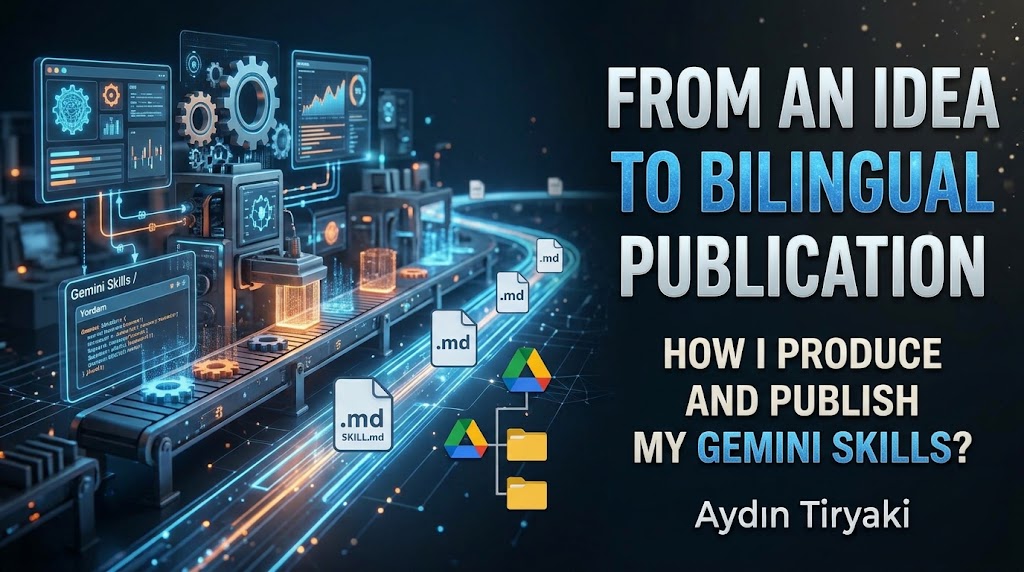
In this article, I will explain my entire production workflow step by step without skipping a single detail—starting from the initial spark of an idea in my mind, maturing that idea through extensive conversations, turning it into bilingual (Turkish and English) Gemini Skills, sharing it via a folder structure with unique IDs on Google Drive, passing it through serial production steps in task windows, and finally transforming it into a four-page publication package on WordPress.
1. Why Did They Not Remain as Gems? The November 17 Process, Automatic Conversion, and a Choice of Quality
Let us start with the most fundamental question that may come to mind: Why did I not leave dozens of special tools—which I had prepared with great effort and which worked smoothly—as Gems, and instead embarked on adapting each of them one by one to the Gemini Skills architecture?
Google announced that it will gradually phase out the Gems architecture within Gemini and replace it with the Gemini Skills structure (2, 3). According to the announced timeline, Gems in personal accounts will begin to be automatically converted into Skills starting on November 17, 2026, and remaining Gems will be turned into draft Skills in the app (this date has been set as March 1, 2027, for business and enterprise accounts, and June 1, 2027, for education accounts) (2, 3).
Therefore, manually adapting my entire library to the new architecture is not “a rescue operation to prevent Gems from being deleted and lost,” but directly a conscious choice of quality and standards. The automatic conversion provided by Google only turns the existing text into a draft Skill, and certain tools or settings may not be preserved identically during this automatic transition. More importantly, automatic conversion does not establish the bilingual (Turkish and English) structure, Google Drive folder paths, systematic version metadata, and the 1000-character description standard that I set as a rule in all my works. For this reason, instead of waiting for the automatic transition, I re-engineered each project according to my own design standards and migrated them to the Skills architecture.
So, what is the difference between the old Gems structure and the new Gemini Skills structure in terms of text layout? In fact, when viewed in terms of text content and structural skeleton, there is no major difference between the two. Both systems fundamentally consist of the same three sections, and their section headings rely on the exact same logic:
- Title (Name): The identity of the designed tool within the system and on the user screen.
- Description: The summary section containing what the tool does, when it should be triggered, and version/metadata details.
- Instructions: The main body text determining how the tool will behave, what rules it will follow, what steps it will take, and how it will generate the output.
Although this three-part structure of the text content remains the same, there are significant differences between the two systems in terms of operation, system loading, and invocation. Gems were static structures sitting on the left menu that worked only within their own isolated chat window when clicked. While talking to a Gem, you could not include another Gem into the same window. In contrast, the Gemini Skills architecture offers a much more flexible structure that can be called directly into a standard chat or task window at any moment using the + sign, allows a second Skill to be invoked immediately after the first one finishes its job within the same window like a relay race, and can be exported/imported as a standard .md (SKILL.md) file. The adaptation process I carry out consists of restructuring the existing three-part text layout according to these new loading and operational rules.
2. The Heart of Production: ATG Gem Factory (Skills Edition) and Auxiliary Workshops
All of the work of producing Skills from scratch and converting old Gems into the Skills structure is managed from a single main center: ATG Gem Factory (Skills Edition) (ATG Gem Fabrikası – Skills Edition).
Even though I now do all production for the Gemini Skills architecture, I deliberately kept the name of my main production base as “Gem Factory” (Gem Fabrikası), and I will probably never change this name. The name “Gem Factory” now holds a special, nostalgic meaning for me, representing the birth and roots of this entire design journey. By simply adding “(Skills Edition)” to the end of the name, I recorded that the factory now operates in the new Skills era and according to new standards.
The Gem Factory does not carry out this process alone; it works together with auxiliary workshops positioned around it that undertake specific specialized tasks. Together with auxiliary Skills such as ATG Article and Document Workshop (ATG Makale ve Doküman Atölyesi), ATG Gem Conversion Workshop (ATG Gem Dönüşüm Atölyesi), ATG Gem Patch Workshop (ATG Gem Yama Atölyesi), ATG Skills Analysis Workshop (ATG Skills Değerlendirme Atölyesi), and Skills MD Drive Organizer (Skills MD Drive Düzenleyici), they form an integrated production line.
For those who wish to examine the working philosophy, modes, and architectural details of my main production center, ATG Gem Factory (Skills Edition), the link to the article package page I published on October 28, 2026, is as follows (4):
- ░ ATG Gem Fabrikası │ ATG Gem Factory (Gemini Skills) ░ 28.10.2026:https://aydintiryaki.org/2026/10/28/atg-gem-fabrikasi-atg-gem-factory-gemini-skills/
Why Is the Gem Factory’s SKILL.md File Not Open to Public Use Yet?
Here, I would like to clarify an important point for readers and enthusiasts. At the end of the introductory articles I have published so far, I openly share the SKILL.md file of the Skill featured in that article so that anyone can use it in their own account. However, even though I published the introductory article above for “ATG Gem Factory (Skills Edition)”—with which I produce all other Skills—I have not yet opened its SKILL.md file to public access.
There are two main reasons behind this:
First, in its current state, the Gem Factory is shaped entirely according to my personal working habits, shortcuts, and command discipline. While it is a highly useful and efficient factory for me, it is not that easy at this stage for someone else from the outside to take this text and use it directly in their own account. For other users to understand and manage it comfortably, I need to make it much more user-friendly.
Second, especially after the transition from the Gems architecture to the Skills architecture, I am still making continuous updates inside the Factory itself. According to the dynamics of the new system, I need to reorganize many rules, templates, and operational steps.
Until both these post-transition structural adjustments are completed and the Factory reaches a user-friendly version that an outside user can comfortably operate, the SKILL.md file of the Gem Factory will remain closed to public access. When I complete all these adjustments and open the file to access, I will announce the link to everyone.
3. Character Limits, Size Policy, the Active Skill Limit, and Gemini Argon Observations
How I manage text lengths and system limits while producing a Skill is also an important part of the production process.
In the second section of Skill texts, the Description field, the technical upper limit recognized by the Gemini platform is 1024 characters; my own standard limit that I set in the Gem Factory instructions is 1000 characters. In all my designs, I take this 1000-character limit as a basis and construct the description section as a full metadata card containing the version number, status code, opening prompt, detailed functional summary, Turkish and English names, Google Drive folder paths, character statistics, document page link, and production timestamp without omission.
In the length of the third section, the Instructions field, I do not apply a strict predetermined restriction; the length is determined entirely according to the scope and needs of the subject at that moment. Previously, when I used the Gem Factory in the old Gem architecture, I took care not to exceed 30,000 characters for the total text. Currently, the Skills version of the Gem Factory has reached the level of 39,600 characters and works quite smoothly in the system. Especially when working on the Gemini 4 Argon version, I observe that the model processes detailed instruction texts of this size comfortably and without noticeable strain.
Nevertheless, as a fundamental design principle, I push these limits by writing everything down to the finest detail only in the Gem Factory, which houses all production rules. In regular product Skills outside the Gem Factory, I try to keep text lengths at much more reasonable levels so that these procedures can be used smoothly across all Gemini models (Flash, Pro, etc.) and in every user account.
The “100 Active Skills Limit” in Bilingual Production and Management Practice
Within the Gemini ecosystem, a maximum of 100 active Skills can currently be kept in an account at the same time. Since I produce each of my projects bilingually in both Turkish and English, the 90 separate projects created as of now correspond to a total of 180 Skills (90 Turkish and 90 English), meaning I directly encounter this 100 active Skills limit. In practice, I manage this limit with the following working method: while I keep around 70 Turkish Skills active (enabled) in my account, I keep the remaining Turkish projects and all 90 English Skills passive (disabled) on the list; I only activate and use the relevant Skills when I need them or when I am going to work on the English versions.
4. Initial Production and Folder Preparation: From an Idea to the First Version and Drive Folders
Bringing a Skill from scratch to a publication-ready state consists of sequential stages. The first stage involves the birth of the idea, creating the initial release versions, and preparing the Google Drive folders:
Birth of the Idea and Creating the First Version
First, an idea is formed. Around that idea, we have a long conversation with Gemini about what the content of this Skill will be and what menus and rules it will include. Following this conversation, the first version of the Skill (the base version that does not yet contain Drive folder paths) is created.
Saving the First Turkish and English Versions and Opening the Folders
After the initial draft matures, the first release versions of this Skill are created on Gemini. First, as step one, the Turkish Skill is prepared; right after that, as step two, the English Skill is prepared, and both are saved to Gemini and made ready for use.
In parallel with this initial saving stage, a separate folder is prepared on Google Drive for both the Turkish and English versions. Let me also explain why the folders are opened after the first version of the Skill emerges: the folder naming and archive structure are created according to the finalized Turkish and English technical names of that Skill.
Google Drive Folder Permissions and the “Folder Path” (ID) Structure
After the folders are created, the Google Drive page is opened on the web to configure sharing settings. If the SKILL.md file of this Skill is going to be open to everyone, the folder setting is configured as “Anyone with the link can view (Public)”; if the project is to remain for personal use only or is still in the preparation stage, it is kept as “Restricted (Private)”.
As you know, folders in Google Drive are not accessed by following a classic directory path (C:\Folder\Subfolder) as in Windows; every folder and file has a unique ID number. At the end of my articles, instead of sharing a single .md file directly, I share the link containing the ID number of the folder where that file is located, and I define these as the “Folder Path” (Klasör Yolu):
- I record the ID link of the Turkish folder as the “Turkish Folder Path” (
Yol tr), - And the ID link of the English folder as the “English Folder Path” (
Yol en).
There are three important reasons for sharing the folder path instead of the file itself:
- Preventing
.gdocConversion Risk and Ease of Download: Google Drive can sometimes automatically convert directly uploaded or shared.mdfiles into Google Docs (.gdoc) format or cause issues in browser preview. With folder sharing, the user can directly open the folder and download the pureSKILL.mdfile inside without its format being corrupted. - Limiting Access Scope: Because I only make the relevant subfolder public on Google Drive, only that folder is opened to access; all my other folders on Drive remain closed.
- Keeping the Link Constant Across Version Updates (The Most Critical Advantage): When you replace a single file with a new one on Google Drive, the file ID may change. However, the folder’s ID always remains constant. While the most up-to-date
SKILL.mdfile always resides in the active folder (and older versions are moved to an archive subfolder), because the folder link never changes, the links in the articles and document pages I published earlier never break.
5. A Method Established Through Experience: The Distinction Between “Chat Window” and “Task Window”
After recording the folder paths, we return to the Gem Factory to embed them into the description section of our Skill text and produce the final publication package. At this stage, an important method I identified through observation and experience during my work comes into play: the distinction between Chat and Task windows.
- “Chat Window” for Initial Creation: Developing an idea from scratch, discussing it, and creating the initial draft of the Skill is much more practical in a Chat Window.
- “Task Window” for Final Version and Serial Production: However, once the initial draft is created and the Google Drive folder paths are determined, moving the processes of adding these paths to the description, generating the final Turkish and English versions, and producing the article packages into a new Task Window makes the process much more organized and straightforward.
6. Transfer to the Task Window and Serial Production Steps with Mode 2
I copy the Full Turkish Skill Text (consisting of the Title, Description, and Instructions) created in the first window, transfer it to a new window, and set this window as a Task.
In this task window, I first open ATG Gem Factory (+atg-gem-fabrikasi), select Mode 2 (the mode for developing and updating an existing product), paste the full text I copied, and issue the following standard task steps to work in a serial manner:
Plaintext
+atg-gem-fabrikasimod 2Yol tr: [Turkish Google Drive Folder Link]Yol en: [English Google Drive Folder Link]1- Görev 2 yapalım2- Görev 4 Türkçe sürüm yapalım3- Önerileri kabul ederek Görev 3 İngilizce yapalım4- Görev 4 İngilizce yapalım 5- +atg-makale-ve-dokuman-atolyesi Yazar Aydın Tiryaki
(Note: Actually, a Task 0 (Görev 0) is defined within the Gem Factory that automatically executes all steps from Task 2 to Task 6 in a single chain by accepting the recommendations. However, because I prefer to manually manage the Google Drive operations—Task 5 and Task 6—under my own supervision and want to check the intermediate steps, I use the selected 5-step sequence above instead of Task 0).
This 5-step serial command sequence performs the following operations in order:
- Step 1 (
Görev 2 yapalım— Execute Task 2): The Factory integrates the Turkish (Yol tr) and English (Yol en) folder paths I provided into the Skill’s Description section, analyzes the first version text, and creates the new Turkish version with folder paths added along with improvement recommendations. - Step 2 (
Görev 4 Türkçe sürüm yapalım— Turkish Skills Registration/Update): As defined in the Factory, Task 4 is directly the Skills registration and update job. In this step, the updated Turkish Skill text is added as a new entry to Gemini’s Skills list—or the existing entry is updated—by converting its title into the rule-compliant technical name (...-atg). - Step 3 (
Önerileri kabul ederek Görev 3 İngilizce yapalım— Execute Task 3 in English by Accepting Recommendations): It prepares the final English version of the project by identically reflecting all updates made in the Turkish version, the folder paths, and the accepted improvement recommendations. - Step 4 (
Görev 4 İngilizce yapalım— English Skills Registration/Update): The prepared final English version is likewise added as a new entry with its technical name to Gemini’s Skills list, or the existing English entry is updated. - Step 5 (
+atg-makale-ve-dokuman-atolyesi/Yazar Aydın Tiryaki): As soon as the Turkish and English version production and Skills list registration processes inside the Factory are completed, the second Skill required for article and document production (ATG Article and Document Workshop) takes over within the same task window and initiates the multi-stage article operations.
7. Multi-Stage Publication Package Production in the Article and Document Workshop
Loaded in the fifth step, the ATG Article and Document Workshop produces all the written and visual documents needed for publication in five sections:
- Section One (Turkish Article): A comprehensive Turkish Article is created that explains in detail what the relevant Skill does, for what purpose it was designed, and its usage details.
- Section Two (English Article): The full English version of this comprehensive Turkish article is prepared as the second section.
- Section Three (Package Page Summaries): During the publication of the Turkish and English articles, a “Package Page” text is generated to link to both articles and the folder links from a single, well-organized page. This section includes a Turkish summary, an English summary, and all access links together.
- Section Four (Short Paragraphs for the Main “Gemini Skills” Page): On my website, there is a continuously updated main “Gemini Skills” directory page where short descriptions and links of all my Gemini Skills projects are kept together. For this main page, a compact document consisting of a short Turkish paragraph, a short English paragraph, and the relevant links is prepared.
- Section Five (Preparation of 16:9 Visuals): A cover image in 16:9 horizontal format is generated for both the Turkish and English articles, defining the content of the relevant Skill and featuring the Turkish/English titles on them.
Thus, all documents to be published come out of a single task window.
8. Downloading .zip Files from the Gemini Skills List and Transferring SKILL.md Files to Folders
After the final Turkish and English Skills produced in the task window are saved to Gemini’s Skills list via Task 4, it is time for the physical file transfer:
- I go to Gemini’s Skills list and download the updated Turkish and English Skills to my computer.
- Gemini downloads each of these Skills as a
.zipfile. This is because all skill files in the system carry the exact same name by standard:SKILL.md. Since they all bear the nameSKILL.md, in order to prevent them from overwriting each other on your computer and to allow them to be saved under different file names, Gemini packages them inside a.ziparchive bearing the technical name of the relevant Skill. - I open the downloaded Turkish and English
.zipfiles. I transfer theSKILL.mdfile extracted from the Turkish package to the Turkish folder on Google Drive, and theSKILL.mdfile extracted from the English package to the English folder.
(Note: Inside the Gem Factory, there are actually two more tasks defined that execute these operations automatically: Task 5 (Görev 5) opens the relevant subfolders under the main “Gemini Skills” folder on Google Drive and writes the links into the Yol TR and Yol EN cells; Task 6 (Görev 6) prevents .gdoc conversion, writes the SKILL.md file with its YAML header directly into the Drive folder, and moves the old version in the folder to the _Eski_Surumler_Arsivi subfolder. However, because Task 5 occasionally stalls during folder creation on Google Drive, and because I prefer to keep the file placement and permission process in Task 6 under my own control, in practice I carry out the steps of opening folders and transferring SKILL.md from the .zip archive manually).
Since the folder paths were added both to the Skill description and inside the article texts in the previous step, the moment I drop the SKILL.md files into these folders, the access path extending from the articles to the files is completed.
9. Systematic Renaming of Task Records and the Project Database
Once all content is ready, I move on to organizing the task and chat records located in Gemini’s left menu. Unfortunately, Gemini is quite inadequate when it comes to automatically naming chats and tasks; it mostly assigns random and insufficiently descriptive titles based on the initial message.
Fortunately, renaming records in the left menu is quite practical. At the end of each session, the Gem Factory generates a standard Information Line (Bilgi Satırı) containing all identity details of that project, and I copy this line and use it directly as the name of that chat or task. Here is a real example:
S01.01+GF14.11-QR Kod Tasarımcısı-30.10.2026-10:53-gs0-gdn084
The codes in this information line contain the following details:
S01.01: The version number of the produced Skill itself (v01.01).+GF14.11: Which version of ATG Gem Factory (Skills Edition) (v14.11) was used to produce this project.QR Kod Tasarımcısı: The Turkish name of the relevant Skill (QR Code Designer).30.10.2026-10:53: The exact date and time stamp of production.gs0: The current status code of the project (gs0: Draft,gs1: In Development,gs2: Completed). (Note: Because the example above was taken from a production record while QR Code Designer was still in the draft stage, it carries thegs0code; in projects where all checks are completed, this code appears asgs2).gdn084: The fixed document number of the project (Gem Document No: 084).
Integration with the Gem Skills GPT Project Database
I have a management Skill and spreadsheet system called Gem Skills GPT Project Database (Gem Skills GPT Proje Veri Bankası), which I use to collectively monitor what stage all my produced projects are at, what operations have been performed on which project, and their current version numbers. After every new production, when I copy the exact same information line with which I named the tasks and chats and paste it into the Project Database, the data in that line automatically updates the relevant record in the database.
10. The 4-Page Publication Architecture on WordPress and the “Living Document” Page
By the time we reach this stage, I have two Skills (Turkish and English) published on Gemini, SKILL.md files placed in Google Drive folders, and a full publication package output from the Article Workshop. In the final stage, I publish four separate posts/pages for each Skill on WordPress (aydintiryaki.org):
- Turkish Article: A comprehensive Turkish post explaining the project in all its aspects.
- English Article: A comprehensive English post explaining the project in all its aspects.
- Package Page: A summary publication page containing short Turkish and English summaries and all links gathered neatly together.
- Skills Document Page (
.../gdnXXX/): The main reference page opened with a fixed number for all Skills.
When they are first published, a Skill’s Document Page and Package Page are almost identical to each other. However, over time, as that Skill evolves and receives new versions, I leave the Article pages and the Package page published on that original date fixed (when there are major changes, I prepare new versions of the articles). In contrast, the Skills Document Page (.../gdnXXX/) is continuously updated according to developments over time.
Both the article pages and the summary and document pages are presented in a structure where users can reach the Turkish and English Google Drive folder paths of the relevant Skill with a single click.
11. Live Application Examples: Publication Packages and Direct Links
So that you can examine how this production and four-part publication architecture I have explained in full detail looks in practice, I am sharing below both the package page of my main production center, ATG Gem Factory, and the four separate pages of the Coğrafya Dağarcığı │ Geography Compendium project, whose SKILL.md folders are shared publicly.
A. Main Production Center Example (Article Published, SKILL.md Folder Currently Closed):
- ░ ATG Gem Fabrikası │ ATG Gem Factory (Gemini Skills) ░ 28.10.2026:https://aydintiryaki.org/2026/10/28/atg-gem-fabrikasi-atg-gem-factory-gemini-skills/
B. Full Open-Source 4-Page Publication Package Example (SKILL.md Folders Public):
- 1. Package Page (Turkish and English Summaries with All Links): ░ Coğrafya Dağarcığı │ Geography Compendium (Gemini Skills) ░ 30.10.2026:https://aydintiryaki.org/2026/10/30/cografya-dagarcigi-geography-compendium-gemini-skills/
- 2. Comprehensive Turkish Article Page: Coğrafya Dağarcığı (Gemini Skills):https://aydintiryaki.org/2026/10/30/cografya-dagarcigi-gemini-skills/
- 3. Comprehensive English Article Page: Geography Compendium (Gemini Skills):https://aydintiryaki.org/2026/10/30/geography-compendium-gemini-skills/
- 4. Living Reference Center — 📄Skills Document Page:https://aydintiryaki.org/2026/06/19/gdn010/
References
- Tiryaki, A. (2026, October). Gemini Skills Nasıl Olmalı? Bir Kullanıcının ve Bir Dil Modelinin Tasarım Önerileri [How Should Gemini Skills Be? Design Proposals from a User and a Language Model]. Aydın Tiryaki Personal Website: https://aydintiryaki.org/
- Android Central & Android Authority (2026, October). Google outlines timeline to phase out Gemini Gems and transition to Gemini Skills (Starting November 17, 2026).
- TechRepublic (2026, October). Google Is Replacing Gemini Gems With Skills Beginning Nov 17.
- Tiryaki, A. (2026, October 28). ATG Gem Fabrikası │ ATG Gem Factory (Gemini Skills). Aydın Tiryaki Personal Website: https://aydintiryaki.org/2026/10/28/atg-gem-fabrikasi-atg-gem-factory-gemini-skills/
Article Credits
All content structure, technical workflows, system architecture, and field experiences in this single-authored article were provided entirely by Aydın Tiryaki. The process of structuring the text, combining the production stages conveyed piece by piece, and maturing the content was carried out through a comprehensive chat and working session conducted with the Gemini 4 Argon model on October 30, 2026. Throughout this process, Gemini 4 Argon served as a writing and research assistant that organized the raw information and operational rules conveyed by the author into a systematic whole.
Additionally, as part of the working discipline, this prepared article text was shared with the Claude Opus 5.5 model operating on high thinking mode within the scope of an independent cross-evaluation process. During the work, two back-and-forth iterations took place between Claude Opus 5.5 and Gemini 4 Argon; the factual corrections, task definitions, and stylistic suggestions provided by Claude Opus 5.5 after evaluating the article in two separate rounds were transferred back to this working session, and all necessary revisions were incorporated into the text by Gemini 4 Argon to create the final version of the article.
| aydintiryaki.org | YouTube | Aydın Tiryaki’nin Yazıları ve Videoları │Articles and Videos by Aydın Tiryaki | Bilgi Merkezi│Knowledge Hub | ░ Virgülüne Dokunmadan │ Verbatim ░ | ░ Bir Fikirden Çift Dilli Yayına: Gemini Skill’lerimi Nasıl Üretiyor ve Yayımlıyorum? │From an Idea to Bilingual Publication: How I Produce and Publish My Gemini Skills ░ 30.10.2026

