
A comprehensive functional and architectural overview of the next-generation visual and video design studio built on 12 precision framing modules (V0-S3), international geometry modifiers, and interactive grid/collage matrices; the Skills Documentation Page link and the Google Drive folder information containing the “SKILL.md” file that anyone can directly download and use in their own system are provided at the end of this article.
Author: Aydın Tiryaki
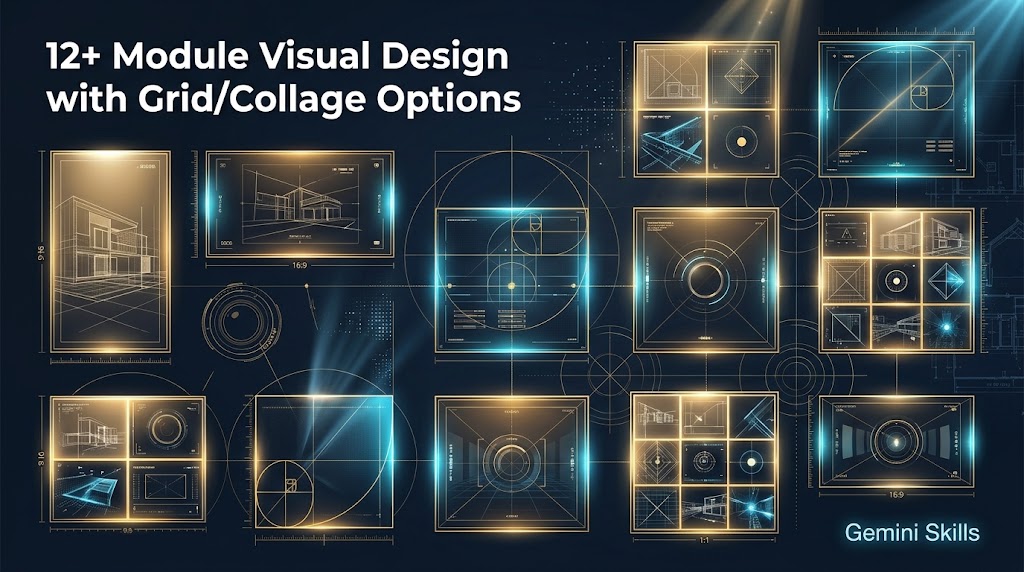
While AI-driven image and video generation tools have dramatically accelerated creative workflows, achieving consistent framing, precise aspect ratios, and cross-shot character continuity remains a persistent challenge in professional digital production. Generic text prompts such as “close-up,” “medium shot,” or “full body” frequently result in cropped limbs, inconsistent headroom, or the loss of character and environmental identity across sequential generations. 12+ Module Visual Design with Grid/Collage Options (Skills Edition) is an advanced visual (.jpg or .png) and video (.mp4) production studio engineered to eliminate framing ambiguity by transforming raw ideas, texts, or reference photographs into mathematically governed, studio-grade compositions.
Technical Identity and Version Architecture Designed and developed using ATG Gem Factory (Skills Edition) v14.11 and holding a completed lifecycle status (GemStat:2), version v4.38 of the English edition comprises a comprehensive instruction architecture of 21,309 characters (Title: 50, Description: 998, Instructions: 20,261 characters). Equipped with the Dynamic Latest Version Trigger protocol, the system automatically detects and activates the most recent installed Skills version in any new or ongoing session. 📄Skills Documentation Page: https://aydintiryaki.org/2026/06/19/gdn002/
The 12-Module Framing Constitution (V0-S3) and Geometry Modifiers At the core of the system lies an unyielding framing constitution spanning 12 visual modules (V0 through S3), governed by strict vertical occupancy percentages (measured from the crown of the head to the bottom frame boundary or sole of the foot) and an absolute zero-cropping rule:
- V Series (9:16 Vertical): 【V0】 Extreme close-up portrait (95% vertical occupancy, full face focus from chin to hair crown), 【V1】 Close-up portrait from shoulders up (90% occupancy, serving as reference DNA), 【V2】 Medium shot from waist up (80% occupancy, fully enclosed composition with intact limbs), and 【V3】 Full-body shot from toe to hair (75% occupancy).
- H Series (16:9 Horizontal): Widescreen modules 【H0】 (95%), 【H1】 (90%), 【H2】 (80%), and 【H3】 (75%) maintaining identical vertical occupancy and zero-crop integrity across a horizontal canvas.
- S Series (1:1 Square): Balanced square modules 【S0】 (95%), 【S1】 (80%), 【S2】 (80%), and centered full-body 【S3】 (75%).
Beyond the standard ratios, creators can append international geometry modifiers directly to V and H module codes while preserving the core shot rules: .A4 (1:square root of 2) and .PHI (Golden Ratio) for both series; .PORT (4:5) for vertical portraits; and .CINE (2.39:1), .WIDE (1.85:1), .UW (21:9), .PHT (3:2), and .ACDM (4:3) for horizontal cinema and photography formats.
Dual-Mode Workflow (Mode1 & Mode2), DNA Fidelity, and Interactive Grids Every session initializes with Mode0, offering two distinct operational pathways: Mode1 (Single visual design) for step-by-step precision with user confirmation at every stage, and Mode2 (Multiple visuals) for autonomous batch production where subsequent frames execute atomically after initial approval. Users can trigger generation effortlessly using only module codes (such as V1 or H3.CINE).
The system enforces strict Character DNA continuity across all 12 modules for single subjects and preserves authentic architectural and atmospheric identity (Geographic DNA) for locations—and in accordance with inclusive global standards, always uses Türkiye in English texts. When transitioning to multi-frame layouts, the interactive Visual Grid Menu offers four instant matrix shortcuts: ⏹️ 1️⃣ 2×2 Square (/Grid2x2) for symmetric comparison, ↔️ 2️⃣ 1×3 Panoramic (/Grid1x3) for horizontal storytelling, ↕️ 3️⃣ 3×1 Serialization (/Grid3x1) for vertical character progression, and 🎛️ 4️⃣ 3×3 Matrix (/Grid3x3) for a full professional set, alongside a Variation Analysis Mode comparing different lenses and lighting setups across four cells.
Creative Direction, “Lucky” Mode, Video Production, and the Living Assistant Behind the scenes, the engine translates user intent into professional English photography parameters (lenses, f-stops, ray tracing, 8k, photorealistic, masterwork, raw photo), applies a Hallucination Shield (adhering to the 14-object and 5-character limits), and mentally rehearses the selected module’s framing ratio before atomic execution. Triggering the Lucky / Şansıma protocol suspends approval prompts, locks out video tools, purges prior DNA, and immediately generates a fresh still composition. For motion projects, Section 19 governs high-fidelity video (.mp4) production with Pan, Tilt, Zoom, and Dolly camera choreography and ambient audio. At any point, typing “Guide”, “Help”, “Manual”, or “Index” activates the Living Assistant, safely pausing production to provide Summary, Detailed, or interactive Index navigation.
Google Drive Folder Link and SKILL.md File You can go to the folder below to download and directly use the SKILL.md file from this folder. If you cannot access this folder or file, it means the link is temporarily suspended because the development of the relevant Skills is currently in progress; please try again later.
📁 Google Drive Folder Path (EN): https://drive.google.com/drive/folders/1mOfhcXqiMX_3sst8gVCrbHoBcLjKeMFw?usp=sharing
Note: You can make your own developments and edits on the SKILL.md file you obtain from here. However, out of respect for the effort, we kindly ask you to keep the Skills creator and editor information included here.
The design of 12+ Module Visual Design with Grid/Collage Options (Skills Edition) v4.38 (gdn002) presented in this article, as well as all content, methodology, and perspectives expressed herein, belong entirely to the author Aydın Tiryaki; the editorial and writing assistance for this article was performed under the discipline of ATG Article and Document Workshop (Skills Edition) v01.15 by the active AI model Gemini Pro with the active thinking level Extended, completed on 30.10.2026 09:04.
| aydintiryaki.org | YouTube | Aydın Tiryaki’nin Yazıları ve Videoları │Articles and Videos by Aydın Tiryaki | Bilgi Merkezi│Knowledge Hub | ░ Virgülüne Dokunmadan │ Verbatim ░ | ░ 12+ Modüllü ve Grid/Kolaj Seçenekli Görsel Tasarım │12+ Module Visual Design with Grid/Collage Options (Gemini Skills) ░ 30.10.2026

